
What’s a Client Intake Form, and Why Do You Need One?
There’s a lot you need to know about a client before they walk through the door. When you already understand why they booked, what they want to achieve, and any medical history and preferences that could affect their treatment, your team can provide a thoughtful, personalized experience that keeps clients coming back.
In this guide, we’ll map out what a client intake form is and how to use it to learn more about your clients. We’ll show you what to include, how to design a form that’s easy to fill out, and best practices for securely managing intake information.
What’s a Client Intake Form?
A client intake form helps you get to know someone before their appointment begins. It’s given to new clients prior to an appointment (either sent via email or provided automatically during online booking) or when they arrive for their first visit.
Typically, a new client intake form includes basic contact information, relevant health details, and treatment goals and preferences. It’s a simple way to understand what a client wants and how you can best provide it, allowing your team to prepare a thoughtful experience that elevates your client’s self-care.
A new client form is different from a general intake form, which is a less exhaustive form used to check in with repeat clients. Returning clients can use a general intake form to update you on changes in their lives, including new health concerns and recent treatments from other medspas or salons. Both forms help you build a complete picture of the client as a person, so your team can make smart, safe decisions and create memorable client interactions.
Charting built for beauty and wellness
Intake forms and treatment notes shouldn’t live on paper. Boulevard’s digital forms and charting keep client documentation organized, HIPAA-aware, and connected directly to the appointment.
What to Include in Your Client Intake Form
The first questions you ask your clients set the tone for their whole experience. “Is this your first time with us?” sounds polite. “How can we make your first time with us great?” sounds prepared. And overcomplicated forms can push prospective clients away, while simple, thoughtful questionnaires let them know they’re in good hands.
Here’s how to get everything you need to streamline the client intake process and help your team give the best experience possible. At minimum, a client intake form should gather contact details, medical history and allergies, service requests, and the consent and policy acknowledgements covered below.
Client Contact Details
You don’t need much information to get in touch with a client—just their full name, phone number, email address, and preferred method of contact. This lets you confirm appointments and follow up after visits.
For instance, if your client doesn’t regularly check their email, your team can set up automated text messages they’re more likely to see. Or if their appointment was supposed to start 10 minutes ago and they haven’t arrived, your front desk staff can call to see if they’ll still make it.
Medical History and Allergies
Collect information about medical conditions, medications, allergies, and any other health details that could affect the service. This information helps your team plan safe treatments. You don’t need a full health check, but not every product and service will be right for every client.
For example, if a client books a facial and shares that they’re pregnant, your team can adjust the treatment plan. That might mean skipping retinol and choosing safer products like hyaluronic acid.
Service Requests and Past Treatment History
A requests section is where you learn what clients already know they really like and what they want to avoid. This could include using fragrance-free products or focusing on a specific area during laser treatments.
Past treatment history also adds details about what they’ve tried and whether it worked. This helps teams build a personalized plan ahead of time rather than improvising treatment in the moment. They can make sure they have the right products on hand or order them if the salon is running low. Plus, understanding client likes and dislikes helps teams make appropriate recommendations and upsells that increase revenue.
Consent, Acknowledgements, and Policies
Include all necessary consent and release forms, cancellation policies, and any required legal acknowledgements. Understanding these details upfront keeps expectations clear and protects your business if problems arise later.
How to Create a Client Intake Form in 5 Steps
A client intake form should make life easy for everyone. Clients get through it quickly, and teams collect information they need to treat clients and update files in their backend medspa or salon software efficiently.
Here are five steps to help you build an intake form that works for your team and clientele.
1. Define Your Intake Form’s Purpose
A client intake form should cover exactly what you need to know for a specific service or treatment and nothing more. Customizing forms helps you collect information without overwhelming clients or requesting potentially sensitive data you don’t need.
For example, a medspa might use a streamlined new client intake form for all new patients, with more detailed follow-up questions for services like Botox or chemical peels. This keeps routine appointments moving while still capturing critical information for intensive services.
2. Choose the Right Format and Delivery Method
Think about when and where clients will fill out a client intake form. If it’s a paper form on a clipboard in the lobby, the onboarding process will be slower. Forms take time to complete and care providers need to review them before treatment can start. Plus, a front desk person will need to manually input this information into their system. That can push appointments behind schedule, especially when your team needs to make personalized adjustments.
Sending online forms ahead of time via email or text (or as part of the online appointment booking process) speeds up onboarding. Clients answer thoughtfully, your team reviews details, and providers walk into appointments prepared. The result is a smoother check-in and fewer delays throughout the day.
You can use software like Boulevard to automatically send client intake forms after they’ve booked their appointment to keep things moving effortlessly. That information is then kept safe and central in your Boulevard hub.
3. Structure Questions for Clarity and Ease of Completion
Plain language and clear, targeted questions lead to faster responses and more useful answers, which often translates to better service. If there’s a risk of misunderstanding why you’ve included a question, add a short explanation so clients can give you the right information.
For instance, you might write:
How would you describe your pain tolerance?
This helps us adjust pressure and techniques to keep you comfortable during your session.
4. Optimize the Intake Form for Speed on All Devices
Design your client form intake so it’s easy to move through. Arrange questions in a logical order, starting with contact details before moving on to health information and service preferences, and keep questions focused on treatment planning and accurate record keeping.
Before launching a new client intake form, test it yourself—and with a team member or friend who didn’t help you make it—on a phone, tablet, and desktop. Layouts and UI changes across device types can make a difference. Text that looks perfect on desktop might cut off on mobile.
Pay attention to where you slow down or where questions are worded awkwardly, since those friction points affect clients, too. Look for opportunities to shorten fields and remove repetitive questions. Wherever possible, use multiple-choice and yes/no formats to boost response time. A simple layout improves completion rates and gives your team more accurate information to work with.
5. Review, Test, and Refine the Intake Form Regularly
After you’ve started sending out your client intake form, go over it from time to time. Many form builders give you a dashboard of individual question fields and all your clients’ answers, so you can spot where they tend to skip or give irrelevant responses. Talk to your team about what information they rely on that isn’t fully covered in the intake form.
Once you have client and staff feedback, refine your form. That might mean adjusting the wording of a description or adding or removing questions completely. And when services change, make sure your intake form stays up to date.
Best Practices for Client Intake Forms
If your intake process isn’t working, you’ll feel it. Check-ins will slow down, and staff will have to chase after missing information. Follow these best practices to keep this process as clean and clear as a deep tissue scrub.
Keep It Short and Simple
Shoot for a streamlined intake form that’s quick to fill out and gives your staff concrete data to plan their service with. For instance, prompts like “Describe your skincare routine” can provide helpful information for an esthetician, but the answer can be long-winded and might be better to ask during a face-to-face consultation.
Treat Intake as Part of the Client Experience
Your intake form is the welcoming stage of your client experience. Its tone, style, and visual design should be consistent with the rest of your brand identity. A clear, thoughtful form means clients expect an organized and attentive experience, while a cluttered form design full of endless drop-downs and confusing questions makes clients second-guess the rest of the experience.
Protect Client Data and Meet HIPAA Requirements
For medspas, intake forms often include sensitive health information protected under HIPAA. Look for data collection software that encrypts text with heavy-hitting security measures so only authorized healthcare providers can view a client’s medical history.
Medspa and Hair Salon Client Intake Form Templates
Here’s a straightforward client intake form template to make sure your prospective clients check all the right boxes:
Client information: Include individual text boxes for full name, contact details, and preferred communication method. This section can also include basic demographic information, like birthdays and if they’re pregnant.
Medical history and health disclosures: Add large text boxes with room to write out medical conditions, current medications, and allergies. Instruct clients to disclose any information that could impact treatment decisions.
Service-specific intake questions: Give clients another text box to provide information related to the booked services, like their goals and any areas they’d like you to focus on. For example, clients can talk about their current skin concerns for facials or let you know if they’ve had Botox before.
Consent and acknowledgements: Provide consent checkboxes, cancellation policies, and legal acknowledgements, with space for clients to sign and date.
Boulevard's customizable online forms capture critical client details during HIPAA-aware intakes. Our templates and charts clear clipboard clutter and securely upgrade your charting power.
Streamline Client Intake and First Impressions With Boulevard
Client intake forms are often the first touchpoint with new clients. When intake is smooth and organized, your team starts every service prepared and your clients feel taken care of.
Boulevard empowers medspas and salons to work their best from the get-go with a streamlined intake system. Teams can digitize and automate intake forms and keep client data centralized for front desk staff and providers, so your clients get the same quality of care no matter who they work with.
Ready to simplify your intake process? Explore Boulevard for Medspas and Salons to see how you can make it easier to deliver an experience that turns new clients into loyal regulars.

Skya Jones
Sr. Medspa Education Manger
Skya Jones is an industry expert and consultant who serves as one of the in-house medspa experts at Boulevard. In this role, she collaborates closely with Boulevard’s team and their customers to help deliver exceptional, memorable client experiences. With nearly a decade of experience in the medical spa industry, Skya is deeply passionate about leadership and education, and is dedicated to empowering businesses to thrive. Prior to joining Boulevard, she successfully managed and provided consulting services to a range of medical spas and retail beauty businesses.
Related Posts

2026 Guide to the Best Aesthetic Conferences and Medspa Shows
Learn about The Medical Spa Show, The Aesthetic Show, and more in our guide to the best medspa shows of 2026.
Read Article
Appointment Reminder Templates You Can Use Right Now
Boulevard shares appointment reminder templates for salons and medspas with tips for writing messages that reduce no-shows and late cancellations.
Read Article
Massage Intake Forms: What to Include and How to Write Them
Get a practical guide to massage intake forms, covering must-have questions, consent essentials, and format options that keep intake quick and consistent.
Read Article
Salon Cancellation Policy Guide With Templates and Examples
Get a practical guide to building a salon cancellation policy that protects your revenue, sets the right expectations, and improves client experiences.
Read Article
Patient Appointment Reminders: Cut No-Shows For Good
Cut no-shows and protect revenue with smarter patient appointment reminders. See how Boulevard helps medspas automate and personalize every touchpoint.
Read Article
Scouting Ahead: Finding the Perfect Location for a Medspa Business
Need to find a location for a new medspa business or business expansion? Read our guide to learn the questions to ask and features to prioritize.
Read Article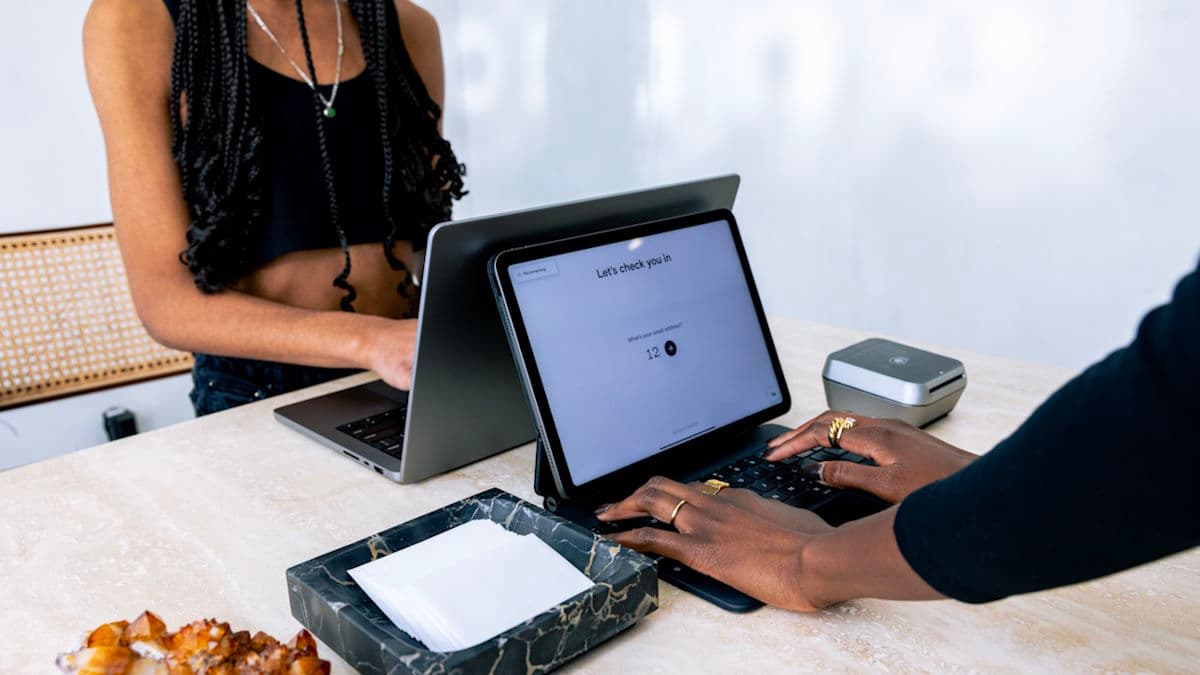
The Best Aesthetic Clinic Software: What to Know Before You Buy
The best aesthetic clinic software balances medical essentials with beauty biz excellence. These are the key features for aesthetic clinic management software.
Read Article
The 25 Best ChatGPT Prompts to Supercharge Your Medspa Marketing Content
Learn the best ChatGPT prompts to build or expand your medspa marketing plan, as well as best practices to take your AI-powered marketing even further.
Read Article
The Client Experience Blueprint: Boost Satisfaction and Loyalty in Self-Care
The client experience blueprint is a recipe for creating more efficient processes that will satisfy clients and your bottom line. Learn more inside.
Read ArticleSign up for weekly blog updates.